
Every content team knows the frustration: you need a banner with a blue background instead of purple, or text aligned left instead of center — and you're waiting on a developer to make it happen. It's a small change with an outsized impact on team velocity.
The dotCMS Content Style Editor changes that dynamic entirely. Watch it in action in the video above.
Free up your developers and give your content authors more control
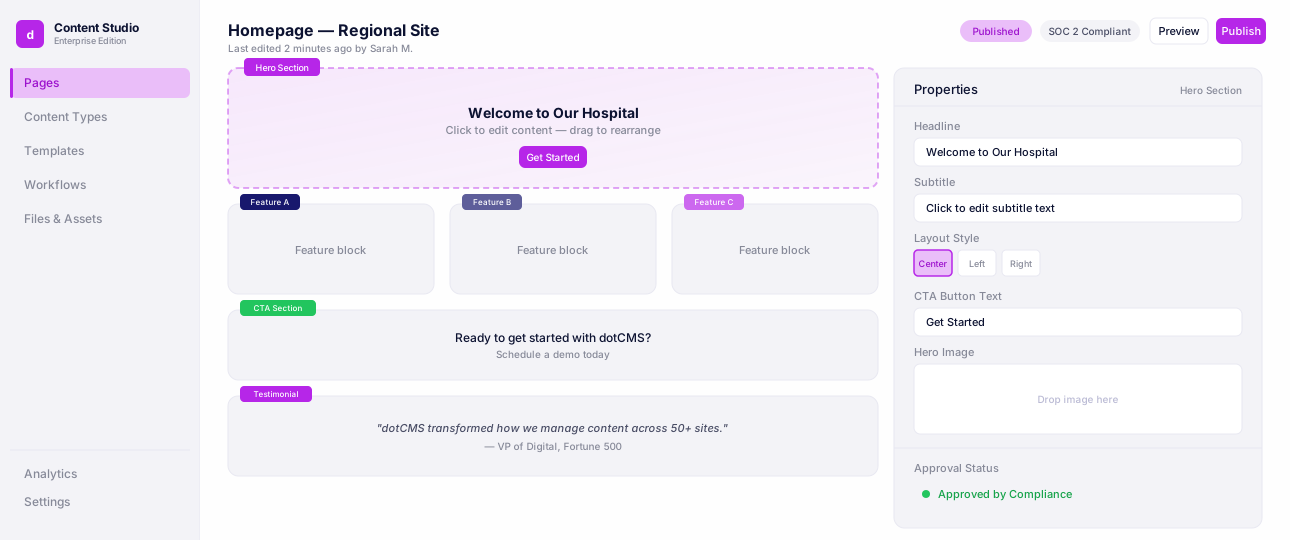
The Content Style Editor is a new feature inside the dotCMS Universal Visual Editor (UVE). A small style icon on any content component opens a panel that gives content authors direct control over how that component looks — no CSS knowledge required, no developer ticket needed. Controls developers can expose to content teams include:
Typography — font size, font weight, letter spacing, and more
Layout — reposition images and text within a component
Background colors — for individual images or entire panels
Visual treatments — drop shadows, borders, and rounded corners
Responsive behavior — control how components adapt across screen sizes
Universal Visual Editor
Edit pages visually while developers keep full headless control.
How It Works
Setup starts with a quick collaboration between design, development, and content teams to agree on what should be configurable and establish brand guidelines. From there, a front-end developer adds a style schema to the front-end code — a straightforward configuration that defines the controls for each component. In the video, you can see exactly how simple this is: adding a "title spacing" input control to a banner component takes just a few lines of configuration and a page refresh. Once it's there, content authors see it immediately and can start using it.
The same piece of content can then be styled differently across multiple pages or sites — which meaningfully increases content reuse throughout your organization.
Why It Matters
The benefits are practical and immediate:
Faster content teams — no more waiting on developers for minor style tweaks
Freed-up developers — less time on CSS requests, more time on meaningful work
Cleaner content models — no need to add presentation fields like "background_color" to content types just to give editors flexibility
Greater content reuse — the same component can be styled differently across pages or sites, reducing duplication
No additional cost — included in all dotCMS license tiers, unlike competitors who charge a premium for comparable functionality
Get Started
The Content Style Editor is available now for Evergreen customers running headless applications with the dotCMS SDK. Support for natively rendered applications is coming soon. Check out the quick-start guide and developer documentation to get your first component configured.
Style updates shouldn't require a sprint ticket. Now they don't!
FAQ
It removes the most common source of developer dependency — small style tweaks. Content authors adjust typography, layout, background colors, and responsive behavior directly, with no CSS knowledge and no ticket. Developers spend less time on minor CSS requests and more time on meaningful work. It's also included in all dotCMS license tiers at no additional cost, unlike competitors who charge extra for comparable functionality.
It's available now for Evergreen customers running headless applications with the dotCMS SDK. Support for natively rendered (traditional) applications is coming soon.